

How to Track Warehouse Inventory in Real Time Without Replacing Your WMS
You don't need to rip out your WMS to get real-time inventory visibility. The practical approach is layering sensor-based location tracking on top of what you already run. Your WMS handles transactions. A sensor overlay handles physical reality. The two complement each other through read-only integration that keeps your WMS untouched.
1. Why Your WMS Alone Can't Give You Real-Time Visibility
A WMS knows what should be where based on the last scan event. It doesn't know what's actually where right now. The gap between transactional truth and physical truth is where inventory accuracy falls apart.
Your WMS is a transaction system. It records that pallet A was put away in location B-12-03 at 9:47 AM. From that point forward, it assumes pallet A is still in B-12-03 until someone scans it again.
But between scans, things happen. Forklifts move pallets to staging areas without scanning. Operators pull partial quantities and forget to confirm. Cycle counts reveal discrepancies that take days to reconcile. A 2023 survey by Warehousing Education and Research Council found that even well-run warehouses operate at 95-97% location accuracy [1]. That sounds good until you calculate what 3-5% inaccuracy means across 20,000 locations.
At 97% accuracy across 20,000 locations, 600 locations have wrong data at any given time. If your average pallet value is $2,500, that's $1.5 million in inventory that your system can't reliably locate. Pickers walk to empty locations, customer orders ship late, and cycle count teams spend entire shifts chasing discrepancies instead of doing productive work.
The root issue isn't that your WMS is bad software. It's that scan-based systems only update when a human triggers a scan. Between scans, the system is blind. Real-time visibility requires something that watches continuously, not just at transaction points.
2. Sensor-Based Location Tracking Fundamentals
Sensors close the gap between WMS transactions by continuously monitoring where inventory physically sits. The main technologies are BLE beacons, UWB tags, and overhead vision systems, each with different tradeoffs on cost, accuracy, and infrastructure requirements.
Three sensor technologies dominate warehouse inventory tracking today, and each fits a different operating profile.
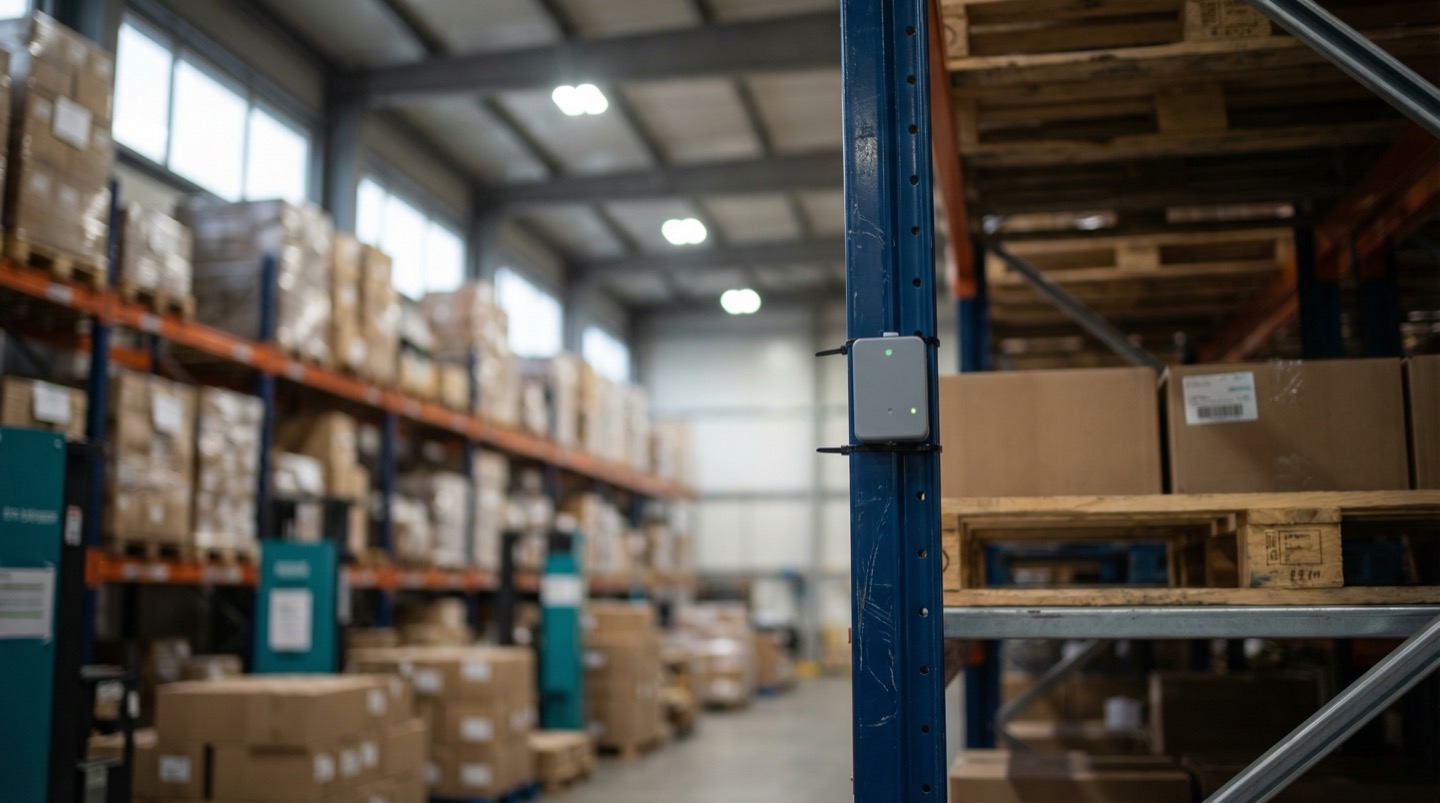
Bluetooth Low Energy (BLE) beacons are the lowest-cost entry point. You mount fixed beacons on racking every 8-10 meters and attach small tags to pallets or totes. The system triangulates position to within 2-3 meters. Hardware cost runs $3-8 per tag and $15-40 per beacon. For zone-level tracking (which aisle, which bay), BLE is often accurate enough. Battery life on tags runs 2-5 years depending on broadcast interval.
Ultra-Wideband (UWB) tags push accuracy to 10-30 centimeters. This matters when you need to distinguish between two pallets stacked next to each other or confirm exact rack positions. The tradeoff is cost: UWB anchors run $200-500 each, and you need more of them for clean coverage. UWB makes sense in high-value inventory areas or in operations where picking accuracy is critical.
Overhead vision systems use cameras mounted on the ceiling or on forklifts to read barcodes and track movement patterns. They don't require tags on every item but need clear line-of-sight and good lighting. Installation cost is higher upfront, but there's no per-item tag cost.
The choice depends on your warehouse profile. High-throughput distribution centers with thousands of daily pallet moves tend to favor BLE for cost reasons. Pharmaceutical or electronics warehouses where each item is high-value lean toward UWB. Many operations use a hybrid: BLE for bulk storage zones and UWB in picking areas where precision matters.
Regardless of the technology, the key architectural decision is the same. The sensor layer operates independently of your WMS. It creates its own location data stream, which is then compared against what the WMS believes.
3. Zone Heatmaps for Inventory Density
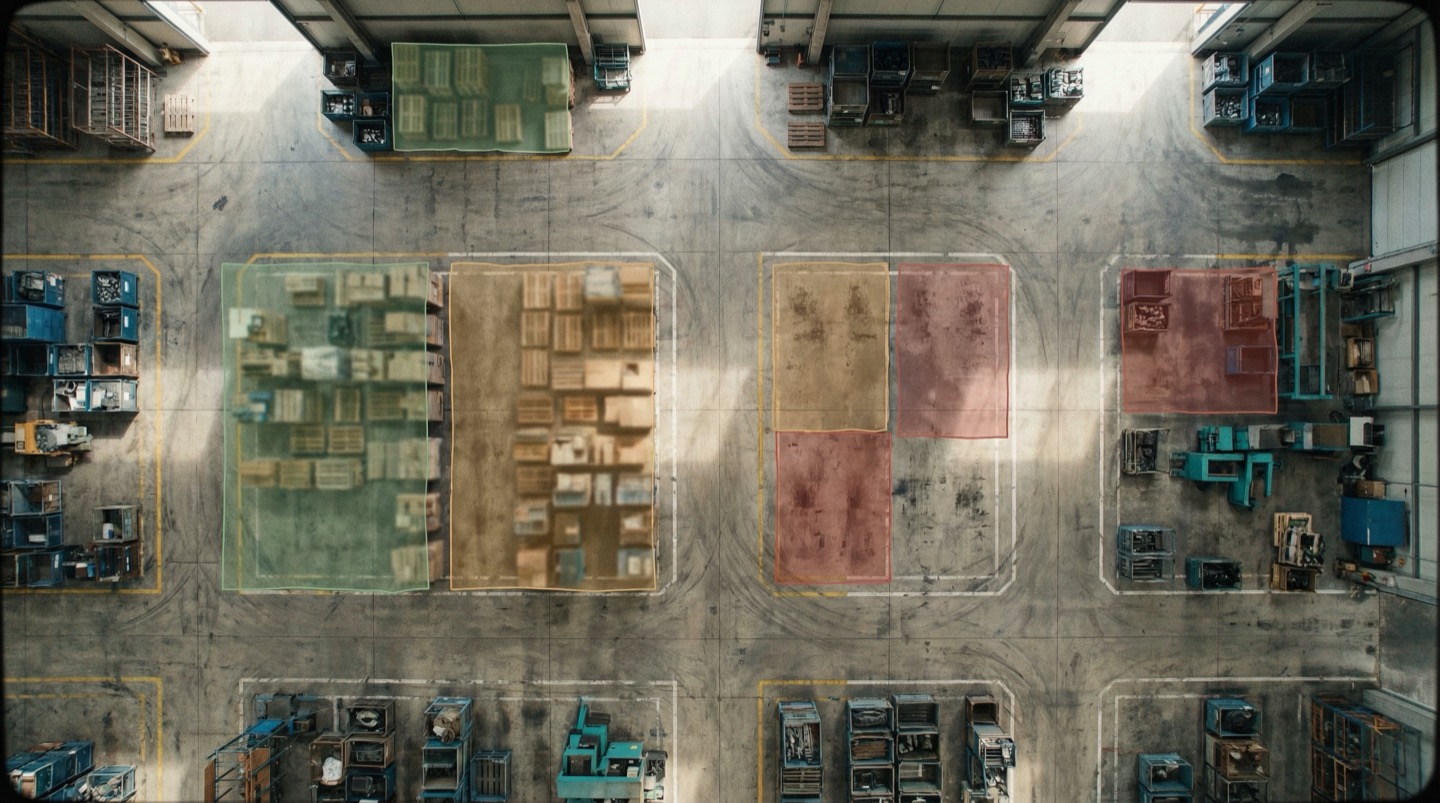
Zone heatmaps turn raw sensor data into a visual density map of your warehouse. Instead of querying individual locations, you see at a glance which zones are full, which are empty, and where congestion is building before it becomes a bottleneck.
Raw location data from sensors is useful but overwhelming. If you have 15,000 pallets across 200 zones, you don't want to scroll through a table. You want to see the pattern.
Zone heatmaps overlay inventory density onto your warehouse floor plan. Each zone is color-coded by fill level: green for under 70% capacity, yellow for 70-90%, red for over 90%. The visual is immediately intuitive. You open the heatmap and within two seconds you know where space is available and where congestion is building.
This changes how receiving and putaway decisions get made. Instead of the WMS assigning the next available location by sequence, the receiving team can see that zone C is at 95% while zone F has 40% capacity open. They redirect incoming pallets before a zone fills completely and forces overflow into the aisles.
Heatmaps also expose utilization patterns over time. Run a 30-day animation and you'll see zones that are perpetually full (potential candidates for expanding or reorganizing) and zones that rarely exceed 50% (wasted real estate that could be repurposed or consolidated).
The operational value comes from making spatial information available to people who don't normally interact with the WMS. Supervisors, receiving leads, and operations managers can pull up the heatmap on a wall-mounted screen and make decisions without running a report. The data updates every few minutes based on sensor feeds, so the picture stays current through the shift.
One pattern we see often: warehouses discover that 15-25% of their rack positions hold dead stock [2] that hasn't moved in 90 days. The heatmap makes this visible because those zones show as perpetually full while the surrounding zones handle all the active flow.
4. Read-Only WMS Integration: Visualize, Don't Replace
The sensor overlay connects to your WMS as a read-only consumer of data. It pulls transaction records, inventory snapshots, and location master data to compare against physical sensor readings. It never writes back to your WMS or modifies any records.
This is the part that makes operations managers nervous, so let's be direct about what read-only integration means. The sensor platform reads data from your WMS. It does not write to your WMS. It does not modify inventory records. It does not change location assignments. It does not interfere with your WMS workflows in any way.
The integration typically pulls three types of data on a scheduled basis:
- Inventory snapshot: current system-of-record quantities and locations, refreshed every 15-60 minutes
- Transaction log: recent putaway, pick, and transfer events for correlation with sensor movement data
- Location master: your rack layout, zone definitions, and capacity limits
With this data, the sensor platform can do something your WMS cannot: compare what the system says versus what the sensors see. When the WMS says location D-04-02 holds 48 cases of SKU 7291 but the sensor data shows that location is empty, that's a discrepancy worth investigating now, not during the next scheduled cycle count.
The read-only constraint is intentional, not a limitation. Your WMS is your system of record. It manages transactions, allocations, and replenishment logic. Letting a second system write to it would create conflicts and audit problems. Instead, the sensor layer flags discrepancies and presents them to operators as tasks. The operator investigates, and if the sensor layer is correct, they update the WMS through normal procedures.
This architecture means you can deploy the sensor overlay without any changes to your WMS configuration. No custom APIs, no middleware modifications, no risk to your existing operations. The integration is a one-way data feed [3], and if the sensor layer goes offline, your WMS continues operating exactly as before.
5. Choosing the Right Sensor Hardware
Sensor selection depends on four factors: the accuracy you actually need, the physical environment (temperature, dust, metal racking), the number of items you're tracking, and your budget per tracked unit. Most warehouses don't need centimeter accuracy everywhere.
Before talking to any sensor vendor, answer these questions for your operation:
What accuracy do you actually need? If you need to know which zone or which aisle a pallet is in, BLE at 2-3 meter accuracy is fine and costs a fraction of UWB. If you need to confirm exact rack positions (especially in automated or high-density storage), you need UWB or vision.
What's your environment like? Metal racking causes signal reflections that degrade BLE accuracy. Freezer environments limit battery life on all tag types by 30-50%. High-ceiling warehouses (over 12 meters) need more anchors for reliable coverage. Dusty environments can obscure camera-based systems.
How many items are you tracking? If you're tracking pallets only, you might need 2,000-5,000 tags. At $5 per BLE tag, that's a $10,000-25,000 tag investment. If you're tracking individual totes or cases, the numbers go up fast. At 50,000 units, tag cost becomes the dominant budget line.
What's your infrastructure readiness? Every sensor system needs power and network connectivity at anchor/beacon locations. Older warehouses often lack Ethernet or reliable WiFi in storage aisles. Running network drops to 200 beacon locations is a real cost that people underestimate. Some BLE systems use mesh networking between beacons to reduce wired infrastructure needs.
A practical starting point: pilot one zone with 50-100 tagged pallets using BLE beacons. The hardware cost for a pilot zone is typically $2,000-5,000. Run it for 30 days, measure the accuracy in your actual environment, and calculate the per-pallet economics before committing to a full deployment. Warehouse environments vary enough that a vendor's spec sheet accuracy and your real-world accuracy can differ by 30-40% [4].
6. Deploying in Phases Without Disrupting Operations
A full-warehouse sensor deployment doesn't have to happen all at once. Phase it by zone priority: start with the highest-value or highest-discrepancy areas, prove the ROI, and expand from there. Each phase should take days, not weeks.
The biggest deployment risk isn't technical. It's operational disruption. You can't shut down a warehouse for two weeks to install sensors. Here's how to phase the rollout without interrupting daily operations.
Phase 1: Pick one high-impact zone. Choose the area where inventory discrepancies cause the most pain. For most warehouses, this is either the fast-moving pick zone (where cycle count errors directly cause mispicks) or the receiving/staging area (where unscanned putaways create phantom inventory). Install beacons in this zone during off-hours. Tag pallets as they naturally flow through. This phase covers 5-10% of the warehouse but often addresses 30-40% of accuracy problems.
Phase 2: Expand to bulk storage. Once the first zone is running and you've validated accuracy, extend coverage to the main storage areas. Beacons mount on racking uprights with magnetic brackets, so installation is non-destructive. Tagging new pallets happens at receiving as part of the existing intake process. Tagging existing pallets can be batched over a few shifts.
Phase 3: Integrate with WMS data. Once you have sensor coverage across the majority of the warehouse, activate the read-only WMS integration. Now you can compare sensor positions against WMS records and surface discrepancies automatically.
Phase 4: Add heatmaps and dashboards. With data flowing from sensors and WMS, build the zone density heatmaps and discrepancy reports that operations will use daily.
Each phase should take 3-7 days of active work, not continuous weeks. The time between phases depends on how quickly you want to expand. Some operations move from pilot to full deployment in 6 weeks. Others spend 3 months validating phase 1 before expanding. Both approaches are valid.
The critical thing is that each phase delivers standalone value. If you stop at phase 1, you still have real-time visibility in your most problematic zone. You don't need the full deployment to see returns [5].
How Modern Warehouses Bridge the Visibility Gap
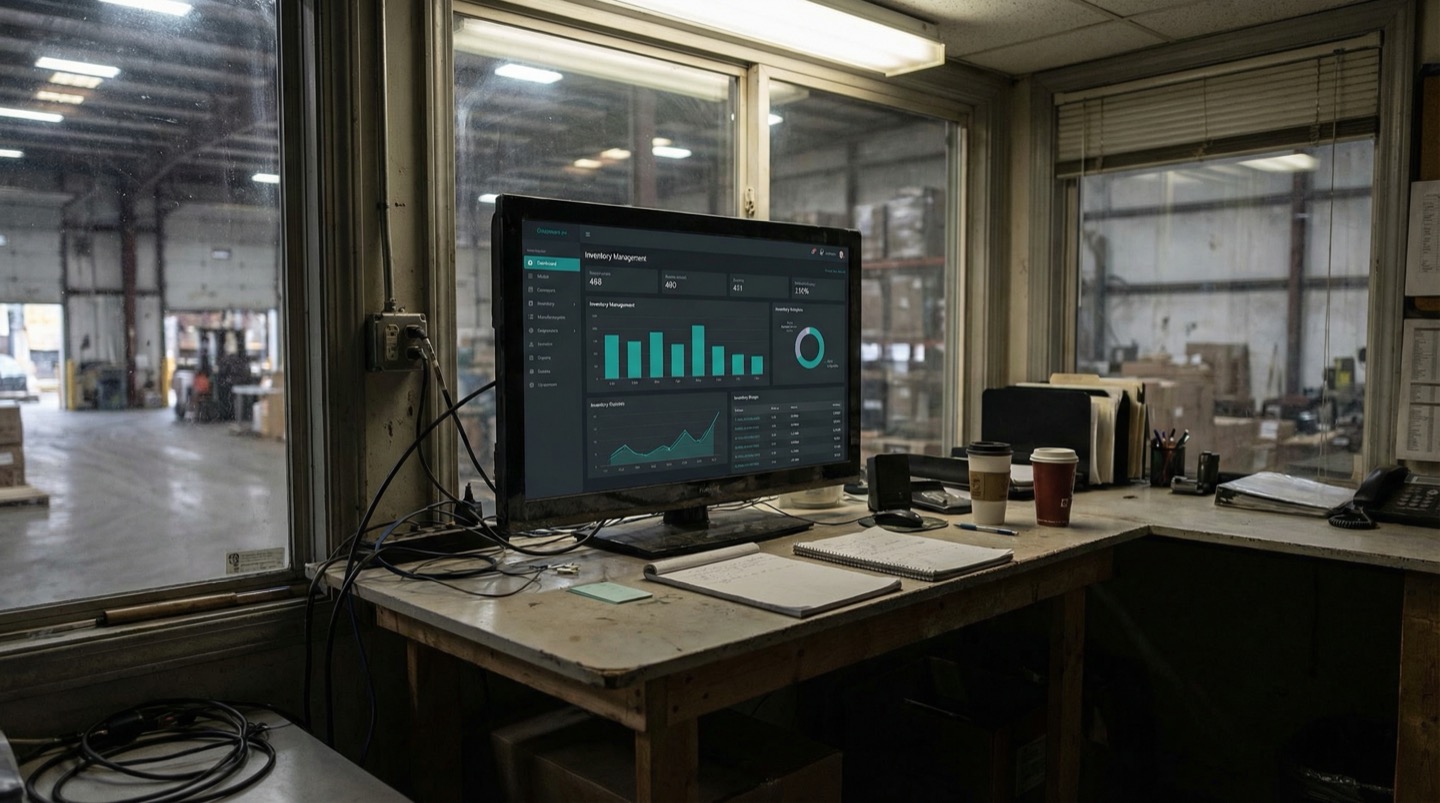
Some warehouse operations are adopting digital twin technology to create a unified spatial view that combines WMS data, sensor feeds, and zone analytics in a single model. This approach gives teams a live, map-based view of their operation without requiring changes to existing systems.
The traditional approach to warehouse visibility stacks tools on top of each other. You have the WMS for inventory records, a separate dashboard for sensor data, a spreadsheet for cycle count results, and maybe a labor management system. Each tool shows a slice of reality, and it's on the operations team to mentally stitch them together.
Digital twin platforms take a different approach. They import your warehouse floor plan and overlay every data source onto it: WMS inventory positions, sensor-based physical locations, equipment movement paths, zone utilization metrics. The result is a single spatial model that reflects the current state of the operation.
The value comes from the correlation that becomes possible when data shares a spatial context. When you can see that zone B is at 98% capacity, the receiving dock has 14 pallets waiting for putaway, and the two nearest putaway zones have 60% open capacity, the decision about where to redirect flow is obvious. With separate systems, that same decision requires querying three tools and doing the math in your head.
Teams using spatial warehouse models report 20-35% reduction in cycle count discrepancies and 15-25% improvement in putaway efficiency within the first 90 days. The gains come from making spatial relationships visible that were always there but buried across disconnected systems.
Deployment timelines have compressed significantly. A floor plan import, sensor mapping, and WMS data connection that would have taken months of custom development can now go live in a few days. The sensor overlay approach means the digital twin sits alongside your existing systems rather than replacing any of them.
Frequently Asked Questions
Do I need to replace my WMS to get real-time inventory tracking?
No. The sensor-based approach sits on top of your existing WMS as a separate layer. It reads data from the WMS through a one-way integration but never writes to it or modifies records. Your WMS continues to be the system of record for all inventory transactions. The sensor layer adds physical visibility that the WMS can't provide on its own.
How accurate are BLE sensors for warehouse inventory tracking?
BLE sensors typically achieve 2-3 meter accuracy in warehouse environments with metal racking. That's sufficient for zone-level and aisle-level tracking. For exact rack-position confirmation, UWB sensors provide 10-30 centimeter accuracy but cost more. Most warehouses start with BLE for bulk tracking and add UWB only in high-precision areas like pick faces.
How long does a full warehouse sensor deployment take?
A phased deployment typically takes 4-8 weeks from first pilot zone to full coverage, with each phase requiring 3-7 days of active installation work. The pilot zone can be operational within a week. The time between phases is flexible and depends on how quickly your team wants to validate results before expanding.
What's the per-pallet cost of sensor-based tracking?
Using BLE tags, the per-pallet hardware cost is $3-8 for the tag, with infrastructure costs (beacons, gateways, network) running $15,000-40,000 for a full warehouse depending on size. For a 10,000-pallet warehouse, total first-year cost typically falls in the range of $50,000-100,000 including hardware, installation, and software. ROI breakeven usually occurs within 6-12 months from reduced cycle count labor and fewer mispicks.
Related Resources
Manufacturing Downtime Cost Calculator
Calculate the true cost of unplanned downtime across your production lines. Includes lost revenue, labor waste, and scrap costs. Free, instant results.
Learn more →ComparisonDigital Twin vs SCADA
A practical comparison of SCADA and digital twin platforms for manufacturing. Covers data models, visualization, alerting, and deployment trade-offs.
Learn more →ComparisonDigital Twin vs ERP
How ERP systems and digital twin platforms compare for manufacturing and warehousing. Covers data models, update frequency, and where each system adds value to operations.
Learn more →ComparisonDigital Twin vs BMS
A practical comparison of building management systems and digital twin platforms for pharmaceutical, food, and warehouse environments. Covers BACnet, ISO 50001, and cold chain compliance.
Learn more →SolutionInventory Visibility
Your WMS knows quantities. Sandhed shows you where that inventory physically sits on your floor plan, with zone-based counts and heatmaps that update as stock moves.
Learn more →AnswerHow to Get Real-Time Machine Data Without a 6-Month Integration Project
Traditional machine data integration projects take 4-6 months because they try to connect every system to every other system. The faster approach is read-only data collection through edge gateways that translate machine protocols into a common format without modifying the machine controllers. You can go from zero to first data point in days, not months.
Learn more →AnswerHow to Monitor a Factory Floor in Real Time
Real-time factory monitoring means having sensor data from machines, environment, and process parameters available within seconds, not hours. It starts with choosing the right sensors for your top failure modes, runs through an edge-to-cloud architecture that handles the data volume, and works only if the alert design respects your operators' attention.
Learn more →Sources
- Modern Materials Handling — WERC Releases 2023 DC Measures Benchmarking Report
- Inbound Logistics — Understanding Slow Moving Inventory: Identify and Manage Your Stock Efficiently
- MHI Solutions — MHI and Deloitte 2024 Annual Industry Report: The Collaborative Supply Chain
- Pozyx — UWB Versus Other Tracking Technologies: BLE, GPS, RFID & Wi-Fi Compared
- Consumer Goods Technology — Gartner's 2024 Supply Chain Tech Trends
See Your Warehouse in Real Time
Layer live sensor data on top of your warehouse floor plan without touching your WMS. Walk through the setup with your own layout.