

What Is a Digital Twin?
A digital twin is a virtual representation of a physical asset, process, or system that stays synchronized with its real-world counterpart through live sensor data. Unlike a static 3D model, it continuously pulls in operational data, so teams can see what is happening on the factory or warehouse floor without being physically present.
1. What Is a Digital Twin?
A digital twin is a living virtual replica of something physical. It mirrors the state of a machine, a production line, or an entire facility by pulling in sensor data continuously. Unlike a static CAD model or a one-time simulation, a digital twin updates itself as conditions change.
The concept dates back to NASA's Apollo program in the 1960s. Mission control maintained physical replicas of spacecraft systems on the ground, updated with telemetry from orbit. Engineers used these replicas to diagnose problems and test fixes before relaying instructions to the crew. The term "digital twin" was formalized by Dr. Michael Grieves at the University of Michigan in 2002, but the underlying idea is older than most people realize.
Today, a digital twin is a software construct. It takes a spatial model of a physical thing and binds it to real-time data streams from sensors attached to that thing. The result is a representation that reflects the current state of the physical asset: temperature, vibration, throughput, position, energy consumption, or any other measurable parameter.
There are three commonly recognized types. A product twin models a single asset, like a CNC machine or a compressor. A process twin models a workflow, such as an assembly line or a packaging sequence. A system twin models an entire facility, connecting multiple assets and processes into one unified view. Most manufacturing deployments start with product twins and expand from there.
The distinction that matters most: a digital twin is not a simulation. A simulation uses a model to predict what might happen under hypothetical conditions. A digital twin shows what is happening right now, using actual data. The two are complementary. You can run simulations on top of a digital twin, but the twin itself is grounded in measured reality [1].
2. How Digital Twins Work
The data pipeline behind a digital twin has five stages: physical sensors collect measurements, edge devices aggregate and transmit the data, a platform ingests and maps it to a spatial model, the model renders a live visualization, and an analytics layer flags patterns and anomalies across the combined data.
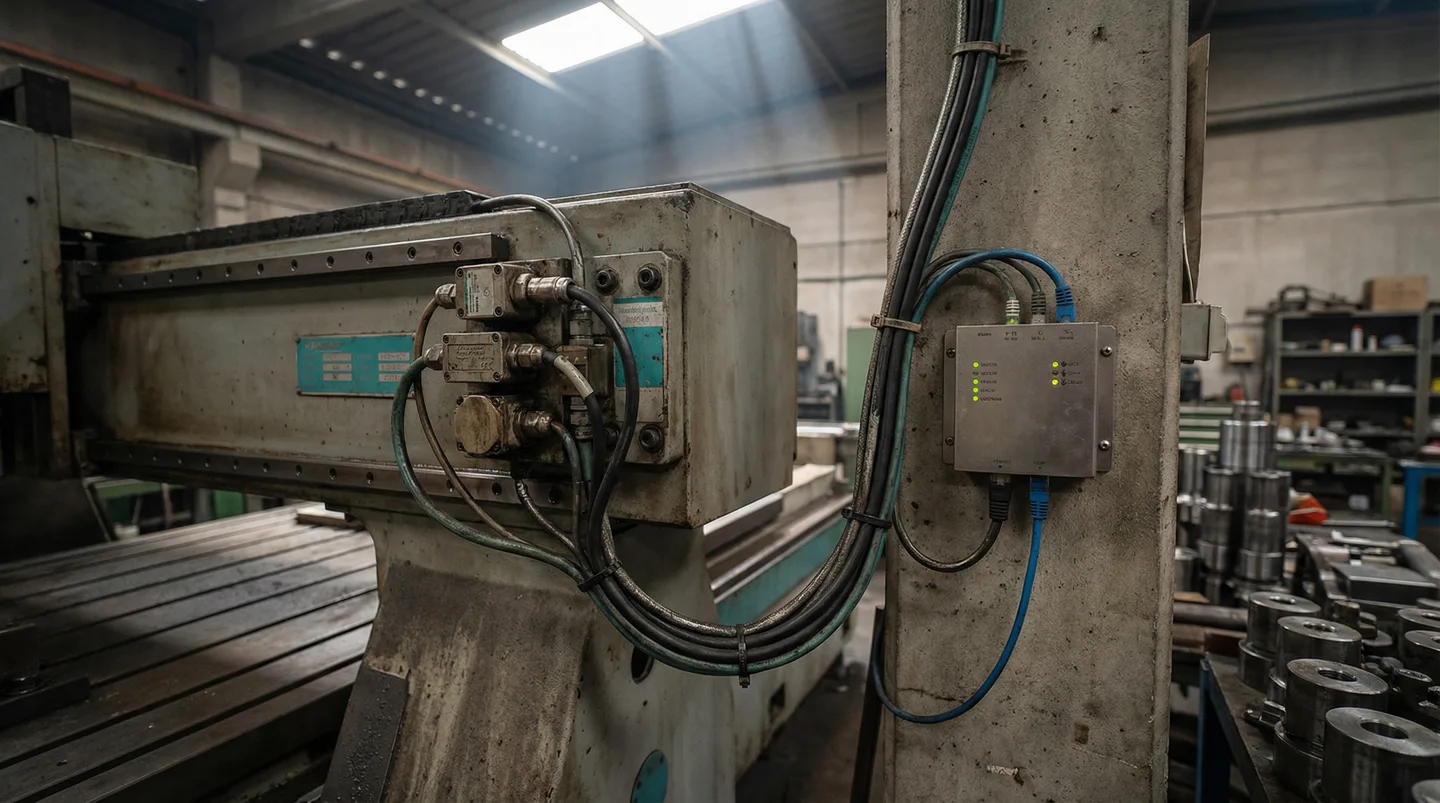
Start at the physical layer. Sensors mounted on equipment measure parameters like temperature, vibration, humidity, current draw, cycle count, and position. These sensors communicate through industrial protocols: OPC UA for PLCs and SCADA systems, MQTT for lightweight IoT devices, Modbus for legacy equipment, and REST APIs for cloud-connected gear. A single production line might generate data from 50 to 200 sensor points.
Edge gateways sit between the sensors and the cloud. They collect raw data streams, apply basic filtering (removing noise, handling duplicates, buffering during network outages), and forward the cleaned data to the digital twin platform. Edge processing matters because sending every raw sensor reading to the cloud is expensive and unnecessary. A vibration sensor sampling at 10 kHz generates gigabytes per day. The edge gateway extracts the relevant features, such as peak amplitude and dominant frequency, and sends kilobytes instead.
The platform layer receives this data and maps each stream to a location in the spatial model. When a temperature sensor on motor 7 reports 82 degrees C, the platform knows that motor 7 sits in bay 3 of building A, and it updates the visual representation at that location. This spatial binding is what separates a digital twin from a dashboard. A dashboard shows you a number. A digital twin shows you that number in the context of where the asset sits, what is next to it, and what else is happening in the same zone.
The visualization layer renders this as an interactive 3D or 2.5D model that users can navigate. Teams can zoom into a specific machine, pan across the floor, or pull up a zone-level heatmap. Color-coding indicates status: green for normal operation, yellow for warning thresholds, red for alarm conditions.
On top of the visualization sits an analytics layer. This is where pattern detection, threshold alerts, and trend analysis happen. The analytics layer can correlate data across multiple sensors and flag conditions that no single sensor would catch on its own. For example, a motor running warm is not alarming by itself. But a motor running warm while the adjacent cooling system is also trending up and the ambient zone temperature is elevated points to a ventilation problem that affects the whole area [2].
3. Digital Twins in Manufacturing
Manufacturing is the largest adoption sector for digital twins. Common applications include real-time production monitoring, OEE tracking, predictive maintenance, and energy management. NIST research found that digital twins could generate up to $37.9 billion in annual benefits for the U.S. manufacturing sector.
Production monitoring is the entry point for most manufacturers. A digital twin maps every machine on the floor to a live spatial view. Operators and supervisors see at a glance which lines are running, which are stopped, and which are in a warning state. This replaces the practice of walking the floor or calling operators for status updates. NIST estimates that digital twins could generate up to $37.9 billion in annual benefits for U.S. manufacturers through improved monitoring, reduced downtime, and optimized operations [2].
OEE tracking becomes spatial when connected to a digital twin. Instead of an OEE number on a spreadsheet, you see where availability, performance, and quality losses are concentrated on the floor. A zone with three machines all showing low performance scores points to a shared root cause, maybe a material feed issue or an environmental factor, that a per-machine OEE report would not reveal.
Predictive maintenance is where digital twins deliver the clearest ROI. By correlating vibration trends, temperature profiles, and cycle counts in spatial context, teams can identify failing components before they cause unplanned stops. The spatial dimension matters here. When one bearing on a conveyor line starts degrading, the digital twin can show whether adjacent bearings are following the same trend, indicating a systemic issue like misalignment or overloading rather than an isolated component failure.
Energy management benefits from the same spatial approach. A digital twin maps energy consumption to physical zones. You can see that building B uses 40% more energy per unit of output than building A, then drill into the zone-level data to find the specific equipment or environmental factors driving the difference. Deloitte estimates that digital twins applied to energy optimization reduce consumption by 10-15% in typical manufacturing facilities [3].
All of these use cases come down to the same thing: individual data points are more useful when you can see where they come from and what else is happening nearby.
4. Digital Twins in Warehousing and Logistics
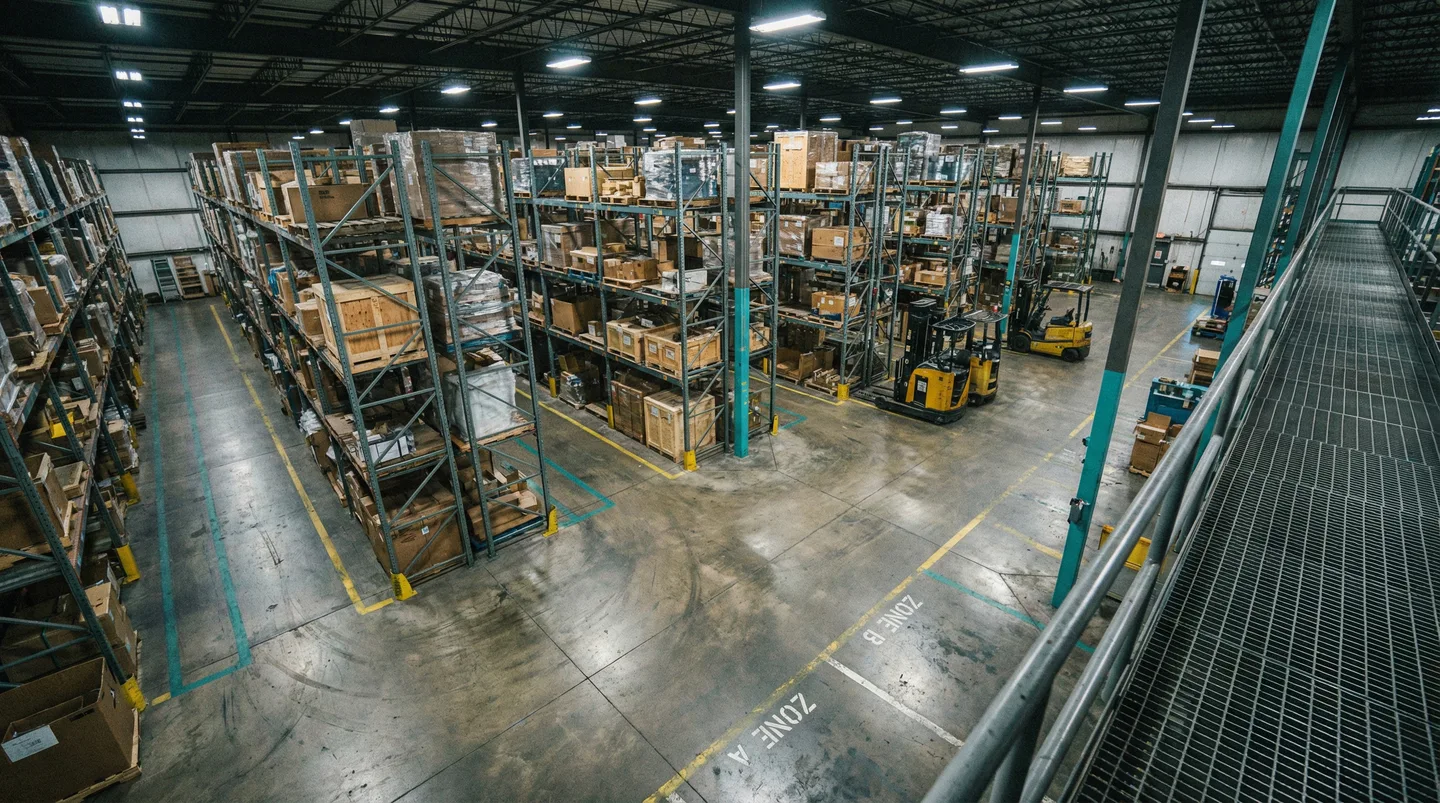
Warehouses use digital twins for asset tracking, inventory density visualization, and dock management. The value comes from seeing the physical state of the warehouse in real time, closing the gap between what the WMS says and what is actually happening on the floor.
Warehouse Management Systems track inventory at the transaction level. They know that pallet X was scanned into location Y at a specific time. But between scan events, the WMS is blind to physical reality. Pallets get moved without scanning. Partial picks happen without system updates. Cycle counts reveal discrepancies that accumulated over days or weeks.
A digital twin closes this gap by overlaying sensor-based location tracking onto the warehouse floor plan. Using BLE beacons, UWB tags, or overhead vision systems, the twin maintains a continuous picture of where assets physically sit. When the WMS says a pallet is in aisle 7, bay 4, but the sensor layer shows it was moved to staging 20 minutes ago, the discrepancy surfaces immediately instead of waiting for the next cycle count.
Inventory density heatmaps are one of the most practical outputs. Zones are color-coded by fill level, green under 70%, yellow at 70-90%, red above 90%. Receiving teams use this to redirect inbound pallets to open zones before congestion builds. Operations managers use it to spot dead stock that occupies prime locations while active inventory gets pushed to less accessible spots.
Dock management works the same way. A digital twin shows which dock doors are occupied, which trucks are being loaded or unloaded, and how long each door has been in use. Combined with inbound shipment data, the twin helps logistics teams sequence dock assignments to minimize trailer dwell time and forklift travel distance.
Same idea as in manufacturing: the digital twin adds spatial, real-time context that transaction-based systems were never designed to provide. It does not replace the WMS. It fills in the gaps between scan events [4].
5. Digital Twins vs. Traditional Monitoring
Traditional monitoring tools like SCADA screens and flat dashboards display data as numbers, charts, and alarm lists. Digital twins add a spatial dimension, showing data in the context of where it was generated. This spatial context reveals correlations and patterns that tabular displays miss.
A SCADA system shows you that pump 12 is drawing 15% more current than its baseline. That is useful information. But it does not tell you that pump 12 sits next to a heat exchanger that has been running hot for three days, in a section of the plant where two other pumps showed the same current increase last month before their seals failed.
Traditional monitoring is organized around equipment hierarchies and alarm lists. You see data per asset, per tag, per alarm priority. The relationships between assets are implicit, buried in the operator's experience. A veteran operator who has worked the same floor for 20 years carries that spatial knowledge in their head. A new operator does not.
Digital twins make spatial relationships explicit and visual. When a VFD trips, you do not just see an alarm code. You see the VFD on the floor plan, its neighboring equipment, the electrical panel it is connected to, and the environmental conditions in that zone. If three VFDs in the same panel area have tripped in the past week, the pattern is visible immediately. In a traditional alarm system, you would need to filter, sort, and correlate manually to see the same pattern.
This matters most for root cause analysis. Manufacturing problems rarely have isolated causes. A quality defect on a filling line might trace back to a temperature fluctuation that traces back to a cooling system issue that traces back to a blocked filter in a utility area on the other side of the building. Flat dashboards treat each of these as separate data points. A digital twin preserves the physical chain of cause and effect.
Platforms like Sandhed take this further by allowing teams to import existing floor plans and map sensors onto them without 3D modeling expertise. The floor plan becomes the interface. You navigate your facility visually, click on any zone or asset, and see its live data and recent trends. That is a different interaction model than scrolling through a list of tag names or alarm codes.
The point of spatial monitoring is not aesthetics. It is about making the way you look at data match the way your facility is actually laid out. Manufacturing happens in physical space. The monitoring should reflect that.
6. Getting Started With Digital Twins
You need three things to deploy a digital twin: a floor plan of your facility, sensors on the equipment you want to monitor, and network connectivity to move the data. Modern platforms handle the 3D rendering automatically from 2D floor plans, so the setup is less involved than it sounds.
The biggest misconception about digital twins is that they require months of 3D modeling, custom software development, and a dedicated IT team. That was true five years ago. It is not true today. Modern digital twin platforms like Sandhed let you upload a 2D floor plan, place sensor markers on it, connect your data sources, and have a live spatial view running within days.
Here is what you actually need:
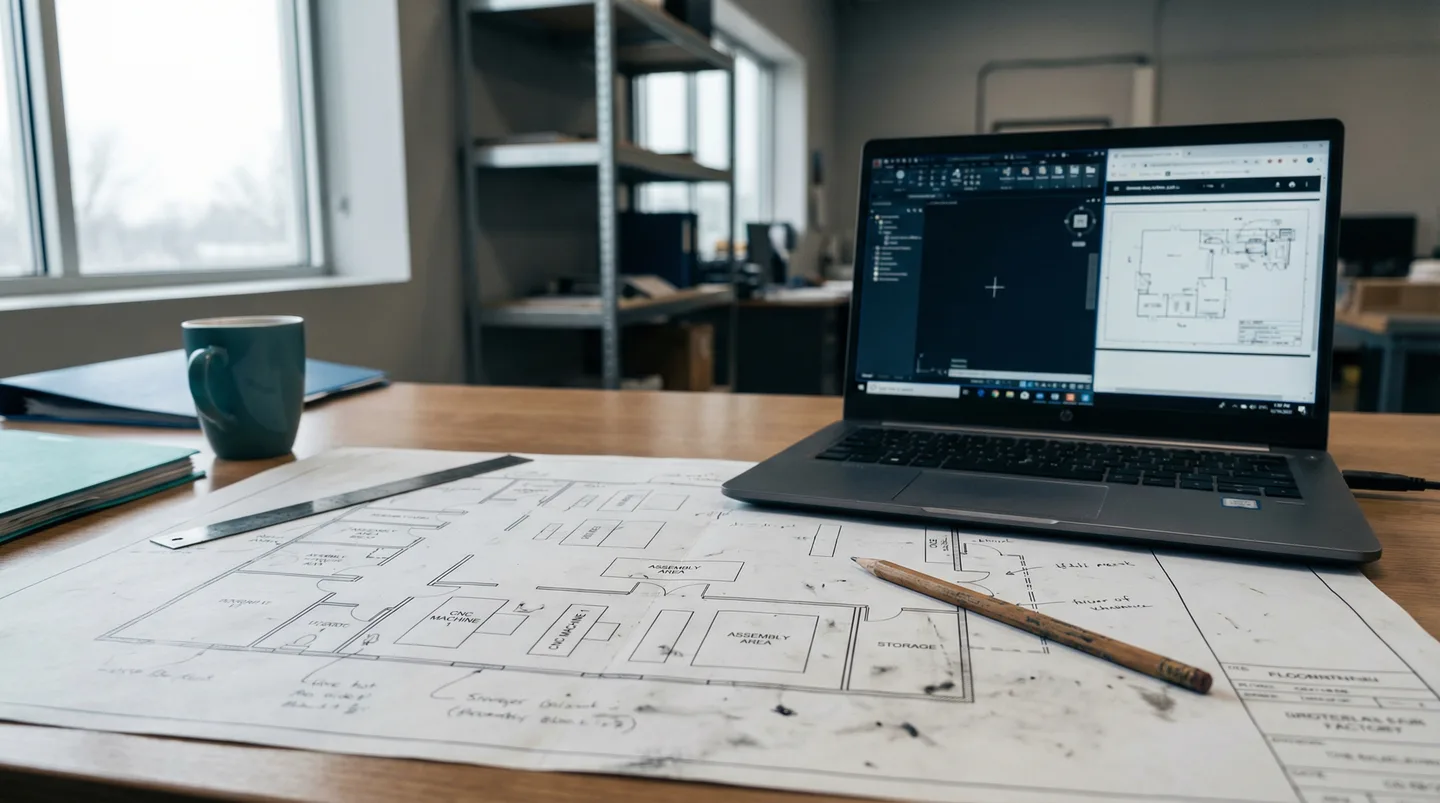
A floor plan. This can be a CAD file, a PDF blueprint, or even a clean photograph. The platform uses it as the spatial foundation. You do not need a detailed 3D model. A 2D plan with accurate dimensions is enough to get started.
Sensors on your equipment. If you already have sensors feeding a SCADA system, a PLC, or an IoT platform, you likely have the data you need. The digital twin platform connects to those existing sources via OPC UA, MQTT, REST API, or database queries. You do not need to install new sensors unless you have blind spots you want to cover.
Network connectivity. The sensor data needs to reach the platform. For on-premise deployments, this means your plant network can route data from the edge gateways to the platform. For cloud deployments, you need outbound internet access from the edge devices. Most modern factories already have this infrastructure in place.
Common misconceptions worth addressing: You do not need a full BIM model. You do not need to model every pipe and cable tray. You do not need a dedicated simulation team. You do not need to stop production during deployment. The platform is read-only. It observes and visualizes. It does not control or modify your equipment.
Realistic timelines vary by scope. A single production line with 20-50 sensor points can be live in 1-2 weeks. A full factory floor with multiple lines and environmental monitoring typically takes 4-8 weeks. A multi-building campus deployment runs 2-4 months. The timeline is dominated by sensor installation and data source integration, not by the platform setup itself.
Start small. Pick one line or one zone where you have an active problem, like recurring downtime or quality variation. Deploy the twin there, prove the value, and expand. Trying to digitize an entire facility on day one is the most common reason digital twin projects stall [5].
How Teams Use Digital Twins Today
The most effective digital twin deployments start narrow and expand based on proven results. Teams pick a specific problem, connect the relevant data, and iterate. The platforms that stick are the ones that deliver value in the first two weeks, not after a six-month implementation project.
The shift in the digital twin market over the past three years has been from large-scale IT projects to targeted operations tools. Five years ago, deploying a digital twin meant hiring a systems integrator, building a custom 3D model, and spending six months on integration before seeing any data on screen. Most of those projects delivered impressive demos but stalled before reaching daily operational use.
What works now is different. Teams start with a floor plan import and connect their existing data sources, PLC feeds, IoT sensors, SCADA historians, in the first week. They get a spatial view of their facility that updates in real time. From there, they add layers: alert thresholds, trend overlays, zone-based reporting.
The value shows up quickly. A maintenance team finds root causes faster because they can see what else is happening near a failure. An operations manager spots a bottleneck forming before it causes losses. A quality engineer notices that defect rates cluster in a specific zone and traces it to an environmental factor. These are not hypothetical benefits; they happen in the first weeks of use.
Adoption tends to follow a pattern. One team deploys a twin for one problem. Their results are visible to adjacent teams. Those teams request access. Within a few months, the twin becomes the default way people look at the facility. It replaces the habit of walking to the floor to check on things and the habit of calling operators for status updates.
The technology is mature enough that the main barrier left is awareness. Many manufacturers still monitor their operations with tools designed before spatial computing was practical. Most factories could deploy a digital twin today. Most have not tried.
Frequently Asked Questions
How much does a digital twin cost?
Costs vary widely depending on scope and platform. SaaS-based digital twin platforms typically run $500-2,000 per month for a single facility, covering the software, cloud infrastructure, and updates. Hardware costs for sensors and edge gateways add $5,000-30,000 depending on how many data points you need. The total first-year cost for a mid-size manufacturing facility usually falls in the $20,000-50,000 range. Compare that to the cost of the problems it solves: a single hour of unplanned downtime can cost $10,000 or more in many manufacturing operations.
Do I need 3D modeling skills to create a digital twin?
No. Modern digital twin platforms generate spatial views from 2D floor plans. You upload a PDF, CAD file, or image of your facility layout, and the platform handles the rendering. You place sensor markers by clicking on locations in the floor plan. The technical skill required is closer to using a mapping application than to operating a CAD program. If you can drag and drop icons onto an image, you can set up a digital twin.
How long does it take to set up a digital twin?
A single production line or warehouse zone can be live in 1-2 weeks, assuming the sensors are already in place and producing data. If new sensors need to be installed, add 1-3 weeks for hardware procurement and installation. A full factory floor typically takes 4-8 weeks. The longest part of the timeline is usually data source integration, connecting PLCs, IoT platforms, and SCADA historians to the digital twin platform.
What data sources can a digital twin connect to?
Most digital twin platforms support standard industrial protocols: OPC UA for PLCs and SCADA systems, MQTT for IoT sensors, Modbus for legacy equipment, and REST APIs for cloud-connected systems and business applications. Many also support database connections to historians like OSIsoft PI or Ignition, and direct integrations with IoT platforms like AWS IoT or Azure IoT Hub. If your equipment produces data in a structured format, there is almost certainly a way to connect it.
What's the difference between a digital twin and a simulation?
A simulation models how a system would behave under hypothetical conditions. It answers 'what if' questions. A digital twin reflects how a system is behaving right now, using live sensor data. The twin shows current reality. A simulation explores possible futures. They are complementary: you can run simulations on top of a digital twin to test scenarios using the twin's real-time data as the starting conditions. But a digital twin without any simulation capability still delivers value by providing live spatial awareness of your operations.
Related Resources
Manufacturing Downtime Cost Calculator
Calculate the true cost of unplanned downtime across your production lines. Includes lost revenue, labor waste, and scrap costs. Free, instant results.
Learn more →ComparisonDigital Twin vs SCADA
A practical comparison of SCADA and digital twin platforms for manufacturing. Covers data models, visualization, alerting, and deployment trade-offs.
Learn more →ComparisonDigital Twin vs WMS
A practical comparison of warehouse management systems and digital twin platforms. Covers data models, update frequency, and read-only integration.
Learn more →ComparisonDigital Twin vs MES
A practical comparison of MES and digital twin platforms for manufacturing. Covers ISA-95 levels, OEE tracking, production traceability, and how the two systems complement each other.
Learn more →ComparisonDigital Twin vs ERP
How ERP systems and digital twin platforms compare for manufacturing and warehousing. Covers data models, update frequency, and where each system adds value to operations.
Learn more →ComparisonDigital Twin vs BMS
A practical comparison of building management systems and digital twin platforms for pharmaceutical, food, and warehouse environments. Covers BACnet, ISO 50001, and cold chain compliance.
Learn more →ComparisonDigital Twin vs Dashboards
How industrial dashboards and digital twins compare on data visualization, troubleshooting, and cross-system monitoring. Covers Grafana, Power BI, and spatial alternatives.
Learn more →SolutionUnplanned Downtime Prevention
Most manufacturers discover downtime after it costs them. Sandhed gives you the visibility to catch equipment issues before they shut down production.
Learn more →AnswerHow to Monitor a Factory Floor in Real Time
Real-time factory monitoring means having sensor data from machines, environment, and process parameters available within seconds, not hours. It starts with choosing the right sensors for your top failure modes, runs through an edge-to-cloud architecture that handles the data volume, and works only if the alert design respects your operators' attention.
Learn more →AnswerHow to Get Real-Time Machine Data Without a 6-Month Integration Project
Traditional machine data integration projects take 4-6 months because they try to connect every system to every other system. The faster approach is read-only data collection through edge gateways that translate machine protocols into a common format without modifying the machine controllers. You can go from zero to first data point in days, not months.
Learn more →See Your Facility as a Live Digital Twin
Upload your floor plan and connect your sensor data. Walk through a setup using your own facility layout.